Physical Address
304 North Cardinal St.
Dorchester Center, MA 02124
Physical Address
304 North Cardinal St.
Dorchester Center, MA 02124

So we now know how to install a skill and how to create one as well. We’ve made our persona file and we gave plenty of resources, ready to begin our journey achieving our goal. Now the next question is, how do we actually figure out how to utilise all these skills? This is where using Claude as a brainstorming partner becomes really powerful, before writing a single line of code, we let Claude help us think.
Just like making a strong building, we need to have a good foundation. In order to have a good foundation we need to make sure the architecture is sound. Well we’re going to use Claude as a brainstorming partner to help us out.
First, let’s tell Claude Code what we’re going to do and what we want to achieve.
I gave it plainly about what I want to achieve, which is autonomous LinkedIn post writing, and I just gave some information about what skills I have installed already.
I asked it what kind of agents and skills I need to create in order to achieve my goal and I asked for it to brainstorm with me to create a good architecture. Using Claude as a brainstorming partner like this means you can ask in a similar way I made into a slightly better structure, which you can just use to your needs as shown below.
I want to create a [fully autonomous content generator system using Claude Code agents so that it's going to research in different places
like Reddit, LinkedIn, X, or just web searching for suitable content for my LinkedIn posts. I wanted to be really optimised for SEO and GEO, and when I create a content calendar, I'm going to ask the AI agent to generate the content appropriately and tick off or record what content we've written. Now, all of these agents have to focus on writing content appropriate for Selene's persona, which you can find in
  '/Users/selene/Desktop/ContentGenerator/.agents/references/selene-persona.md'. Help me brainstorm how I can do this using different Claude code agents and creating new skills, and also see what skills I have by looking at '/Users/selene/Desktop/ContentGenerator/.agents/skills. To Do
  this: I want to first create an architecture so that I identify exactly what steps I'll need to do in order to achieve my goal. Can you help me
  create this architecture?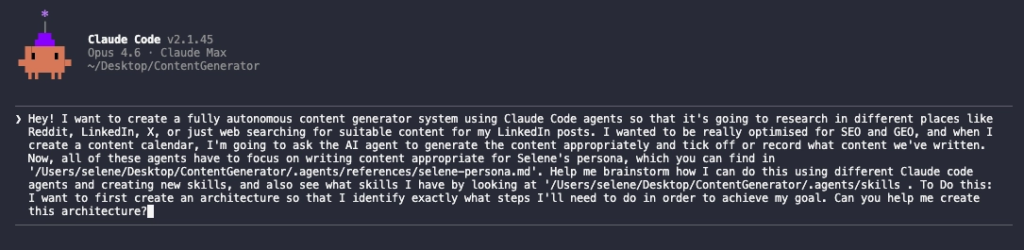
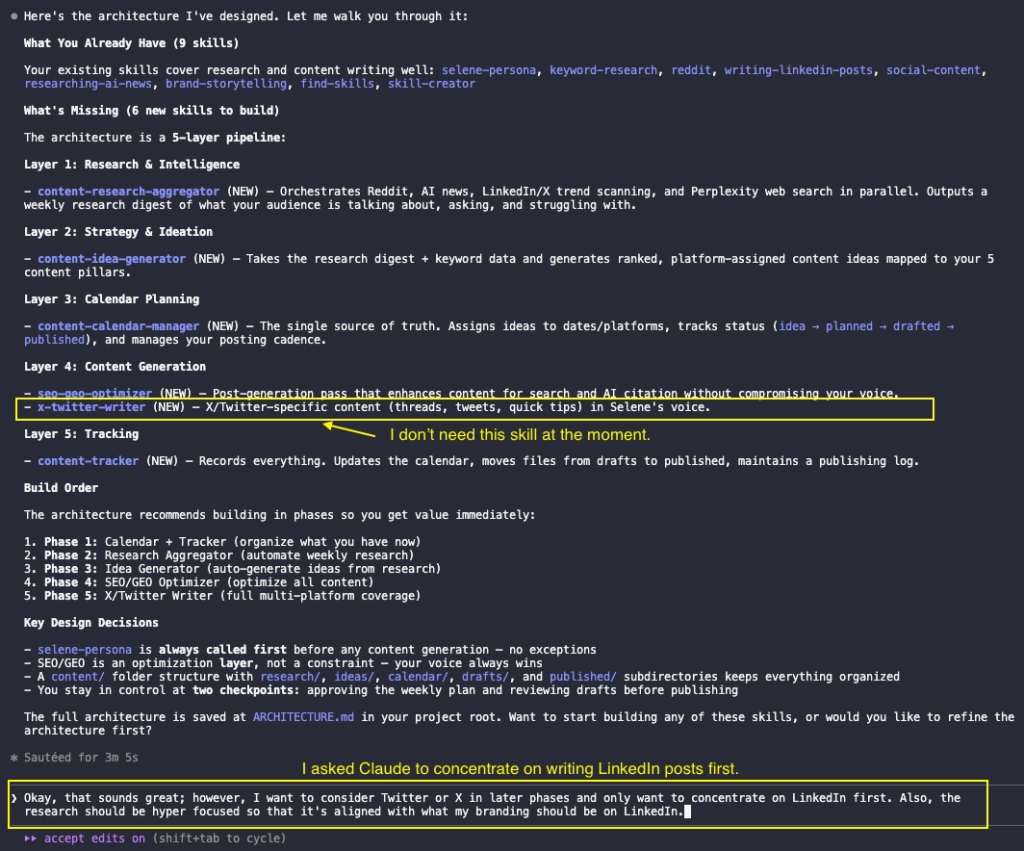
Claude generated this architecture for me but I see there are some skills that I don’t need so I asked Claude again to fix the architecture.
So it gave us a refined output.
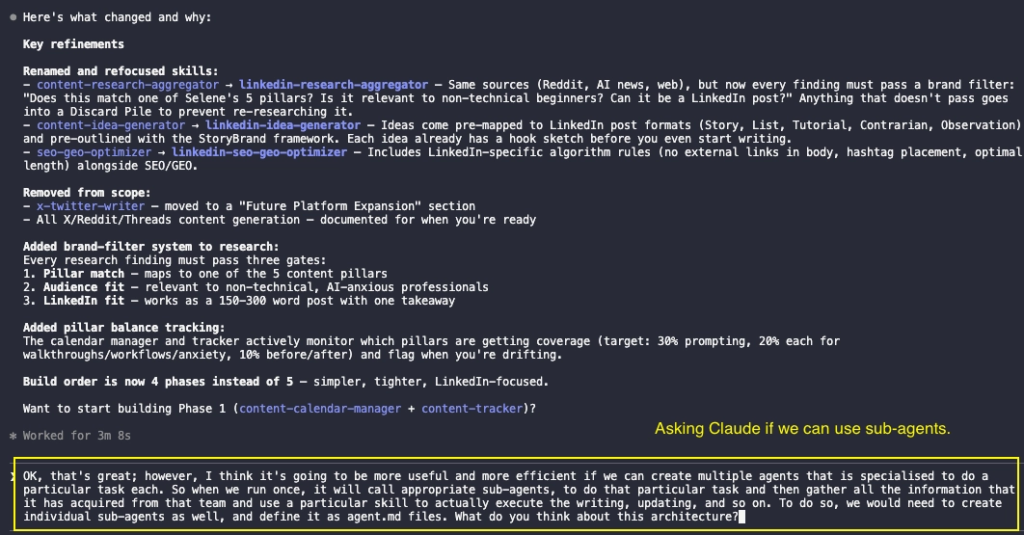
‼️ However, still it was lacking because what it gave was one huge workflow. For a single agent to do this is going to be a bit difficult to use a lot of context and the performance won’t be so good.
👉 This is the beauty of using Claude as a brainstorming partner.
I pushed back and asked Claude if it can create an agent team using sub-agents so that one AI is specialised at doing one particular task and all the information can be gathered into a single point to generate the content.
Imagine this analogy. In a company you might have one person researching the content, doing SEO optimisation, understanding the brand philosophies, writing the content, posting it, updating it, and everything. That won’t be as efficient and if this person gets tired out or is having a bad day, you’re not going to get quality content. Instead you could have five or six people in the team and one person does one thing exceptionally well and they all gather together to write one final piece of content. With distributing the task to specialists, this is what sub-agents are.
Great. Now it seems we’ve created nine sub-agents and we have an orchestrator, which will manage all of these nine agents.
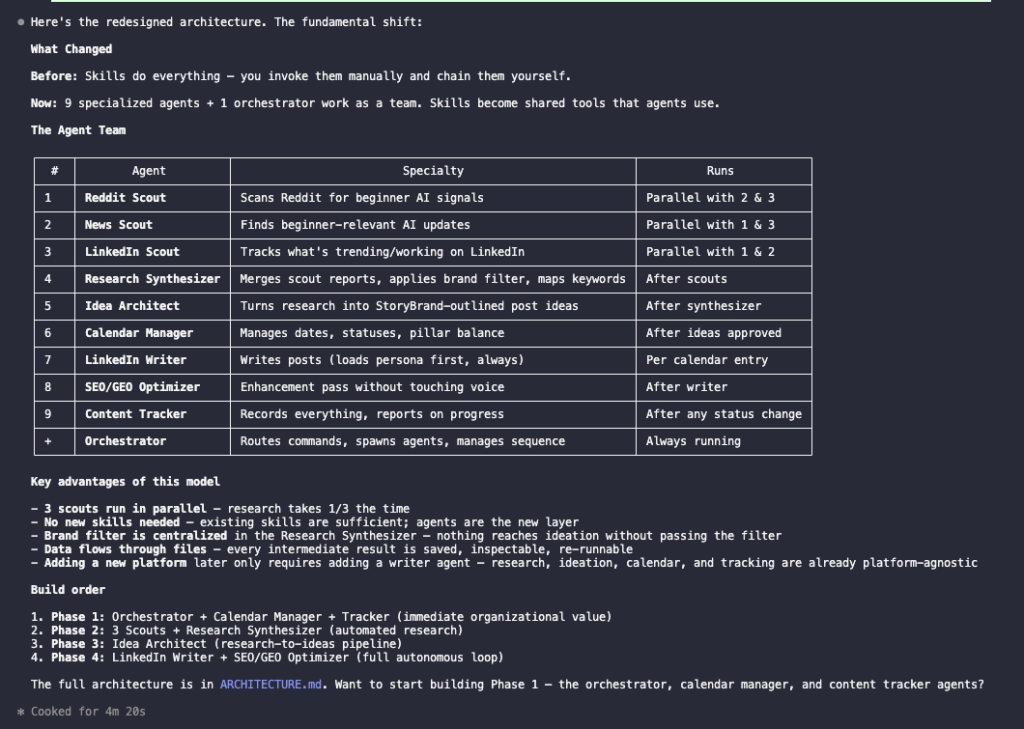
Okay but now let’s tell Claude to actually explicitly define what kind of skills, MCPs or different codes/scripts the agents have access to. We can tell it that if it doesn’t have the code or the skill ready, we’ll be making it.

So it created a new BuildManifest.md file that explicitly writes about which skills our subagents should particularly use. Now we’re improving and this is going in a better direction.
Now we still want to really tell Claude to make sure it utilises the skills we’ve already installed and if not, to use the find-skills skill to find other available skills, which might be helpful for us. I’ve also told it here that we can use external API services since I can provide the keys if it instructs me.
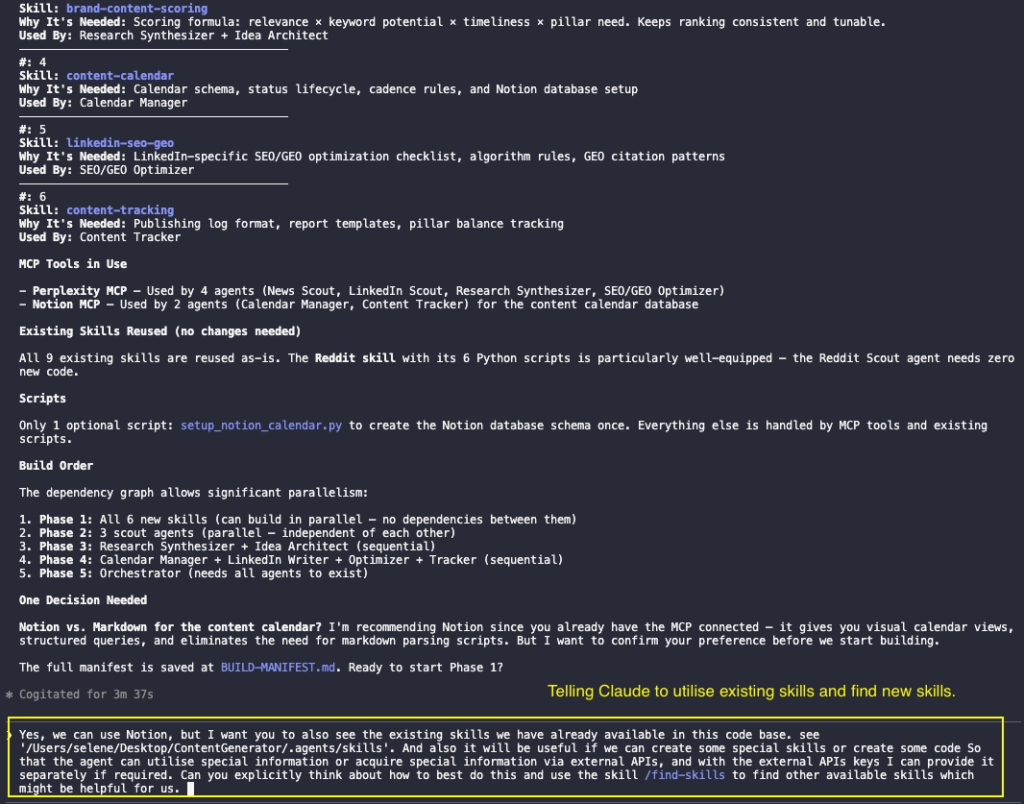
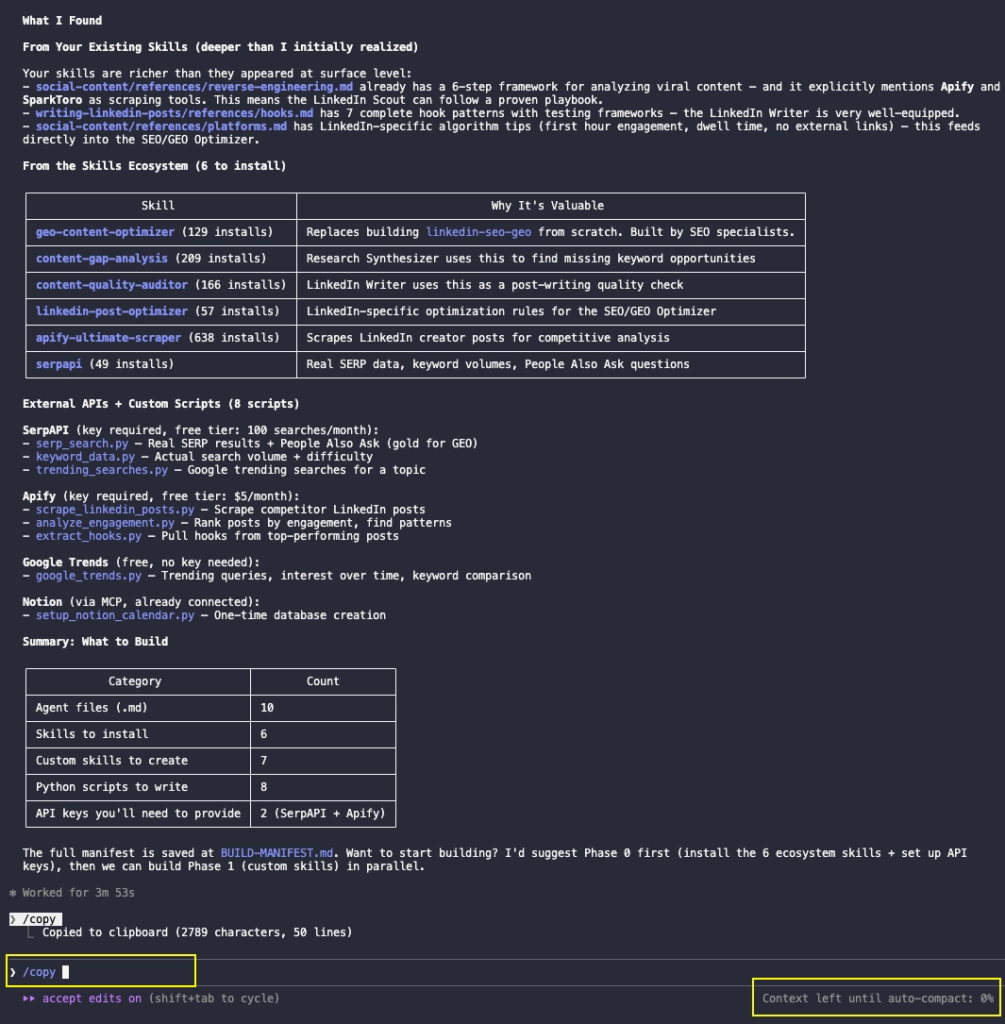
So now it gave me a great answer. It summarised what skills we are going to have to install and create new and it correctly explored what skills we have already installed and it also suggests what kind of external API or custom scripts we need to create to actually enhance this experience. Using Claude as a brainstorming partner throughout this whole process meant we arrived at a much stronger architecture than if we’d just started building straight away.
However we noticed one thing: as you can see in the bottom right corner, it says “context left until auto compact is at 0%”.
What this means is that Claude, in a single session, can only understand or take up to a certain amount of information at a given time. What it does is automatically try to summarise what we have done until now and pass it on to a new session so it does this automatically. However I find that if it does this a lot of the context of what we have discussed gets lost and the performance isn’t as good.
To prevent this performance degrade I used a /copy command to copy all the response the Claude just gave us.
Then I created a new .MD file to paste this in. Now this way we can manually start a new session and give it all the new information we have until now and Claude will be up to date with what we talked about, with precise context for us to continue.
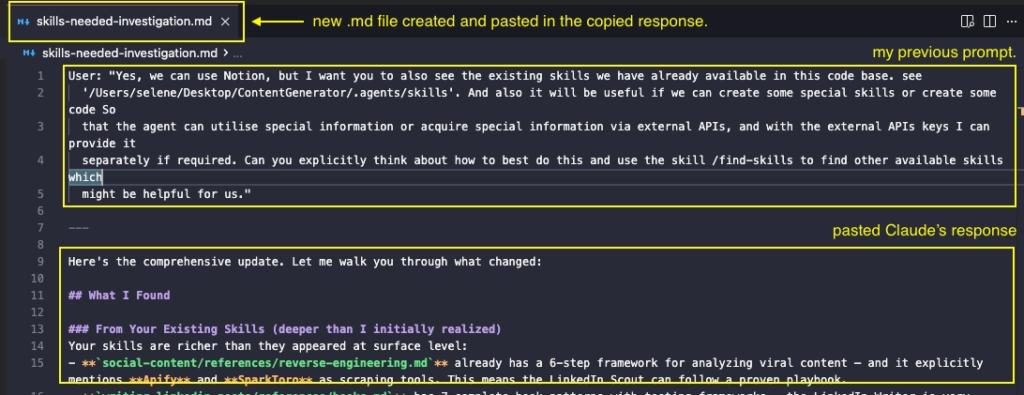
To prevent this performance degrade I used a /copy command to copy all the response the Claude just gave us and I created a new .MD file to paste this in. Now this way we can manually start a new session and give it all the new information we have until now and Claude will be up to date with what we talked about, with precise context for us to continue.
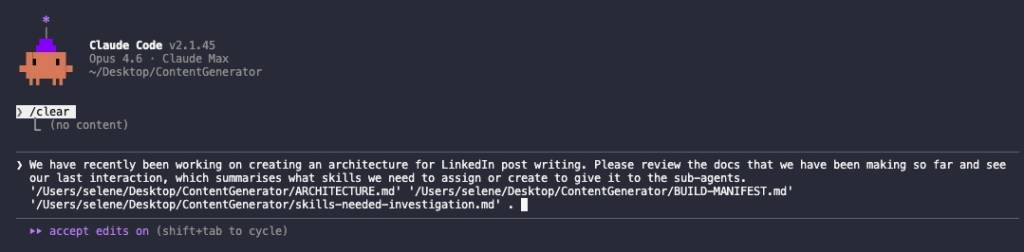
So here I used the /clear command to clear and start the new session. I just told Claude that we were building an architecture for LinkedIn post writing and I said, “Review all the documents we have made so far.”
We see that Claude has generated a comprehensive table/summary of the architecture.
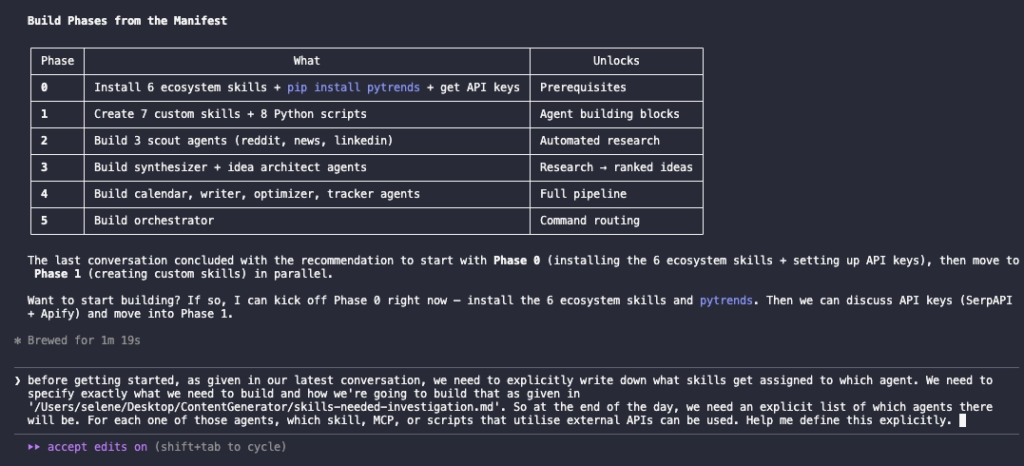
Think of this session as drawing the blueprint before picking up a single brick. Using Claude as a brainstorming partner saved us hours of trial and error and gave us a rock-solid foundation to build on.
Now the fun part begins. In the next post, we will see how we can strategically build a skill based on the strong architecture we designed here.
Check out our previous posts!
Follow for more AI juice!
Want to build something more complex?
Contact us at Ridio Company!