Physical Address
304 North Cardinal St.
Dorchester Center, MA 02124
Physical Address
304 North Cardinal St.
Dorchester Center, MA 02124

Most people jump straight into prompting and hope for the best. If you want to understand how to build Claude skills that hold up across a real project with multiple agents, external APIs, and dozens of moving parts. You need a system before you write a single line of code.
If you’re new, check out how to setup Claude skills from a previous article
This is the workflow I use. It starts with a planning document and ends with Claude working through a structured task list autonomously, phase by phase.
The first thing to do before any building is ask Claude to produce a full breakdown of everything the project needs: which agents, which skills, which MCPs, and which external API scripts. The key word here is explicit. The less vague you are with Claude, the higher the quality of the output.
So instead of asking “what do I need to build this?”, ask Claude to list every agent, map each one to a specific skill or MCP, and flag anything that requires an external API call. This single document becomes the foundation for everything that follows.
📌 Prompt tip: Always tell Claude to be explicit. Vague prompts produce vague plans.
Once you have your planning document, the next step in knowing how to build Claude skills effectively is turning that plan into an executable task list.
Inside docs, I’ve created a new folder called Dev Tasks. It contains two MD files which you can download below 👇
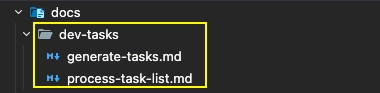
The files are from an open-source system by snarktank. It has over 7,500 stars on GitHub and it’s genuinely one of the most useful things in my Claude Code setup:
generate-tasks.md — prompts Claude to produce a structured, phased task list from your planning documentprocess-task-list.md — tells Claude how to work through that task list systematicallyYou can download both files from the repo and drop them into a docs/dev-tasks/ folder in your project. Once they’re in place, Claude can reference them directly.
📌 These two files are the backbone of how to build Claude skills at a project scale — they turn a vague build into a repeatable, trackable process.
With your planning document ready, ask Claude to read all your project files and consolidate them into a single reference document. Then, separately, ask it to generate a phased task sheet using generate-tasks.md.
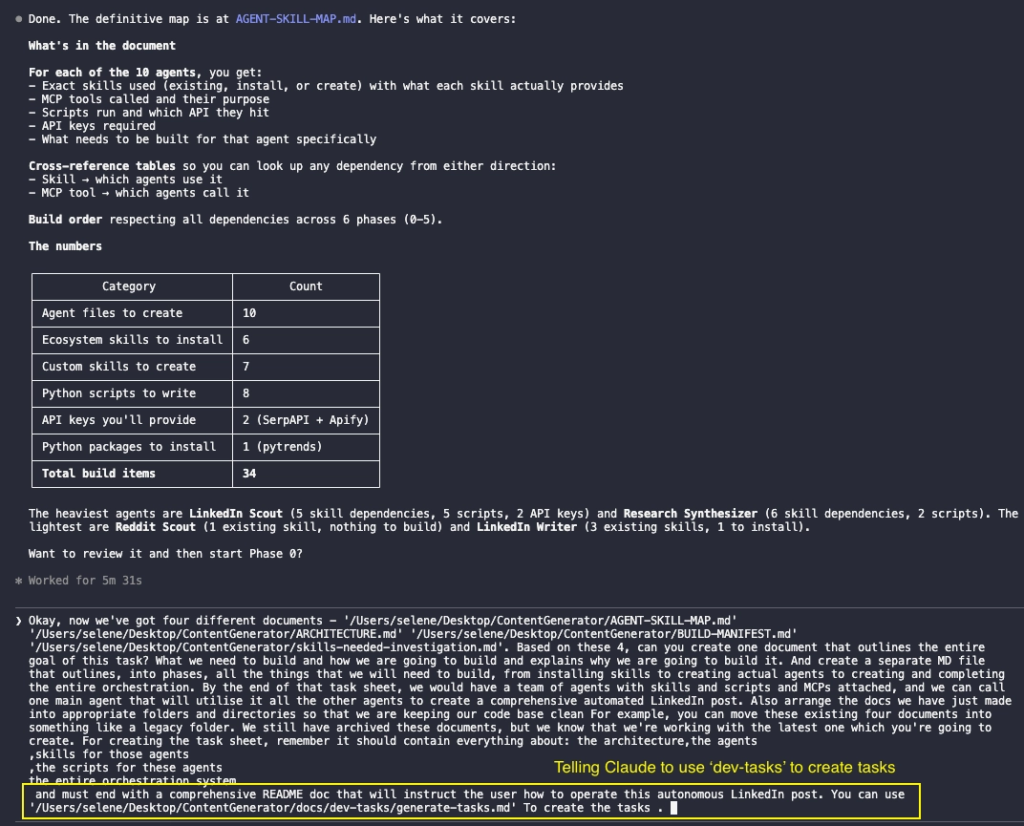
Tell Claude to also organise your file structure at the same time. A clean codebase from the start saves a lot of pain later.
The output should be a comprehensive task sheet broken into phases, each with clearly defined subtasks. In my case, Claude produced 10 phases and around 70 tasks covering everything needed to build a fully working agent system.
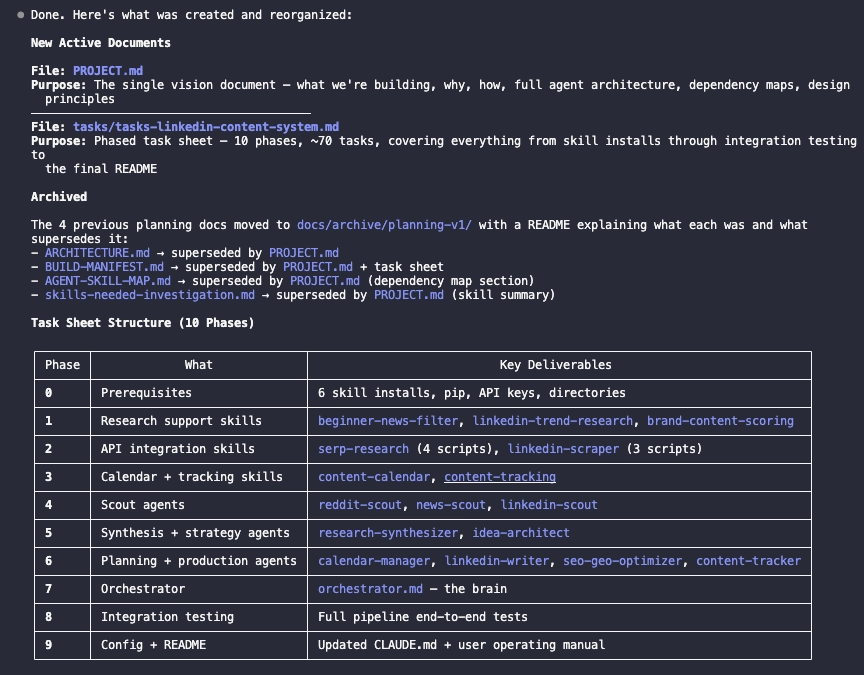
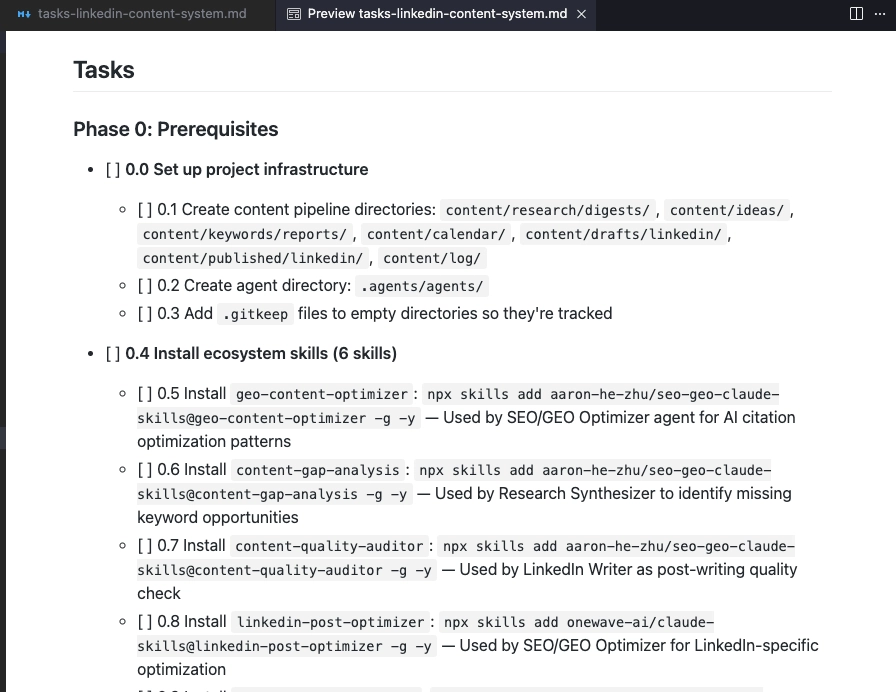
That task sheet is now your source of truth.
Here’s where understanding how to build Claude skills actually pays off in practice.
Clear the session before you start. You want the full context window available. Then tell Claude to begin working through the task list using process-task-list.md, one phase at a time.
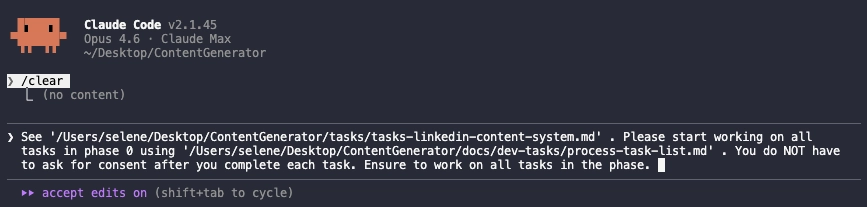
process-task-list.mdA few things that make this work well:
This is the most efficient approach I’ve found for how to build Claude skills into a real production system, rather than just experimenting in a single session.
At some point during the build, Claude will stop and ask for API keys. This is normal, don’t treat it as a blocker.
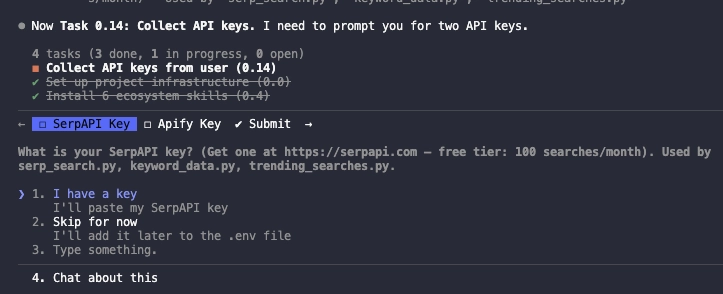
For SerpAPI (serpapi.com): create an account, generate a key from the dashboard, and paste it into the chat.
For Apify (apify.com): go to Settings → API & Integrations → Personal API tokens. Copy the token and give it to Claude.
Once Claude has the keys it needs, it picks up exactly where it left off.
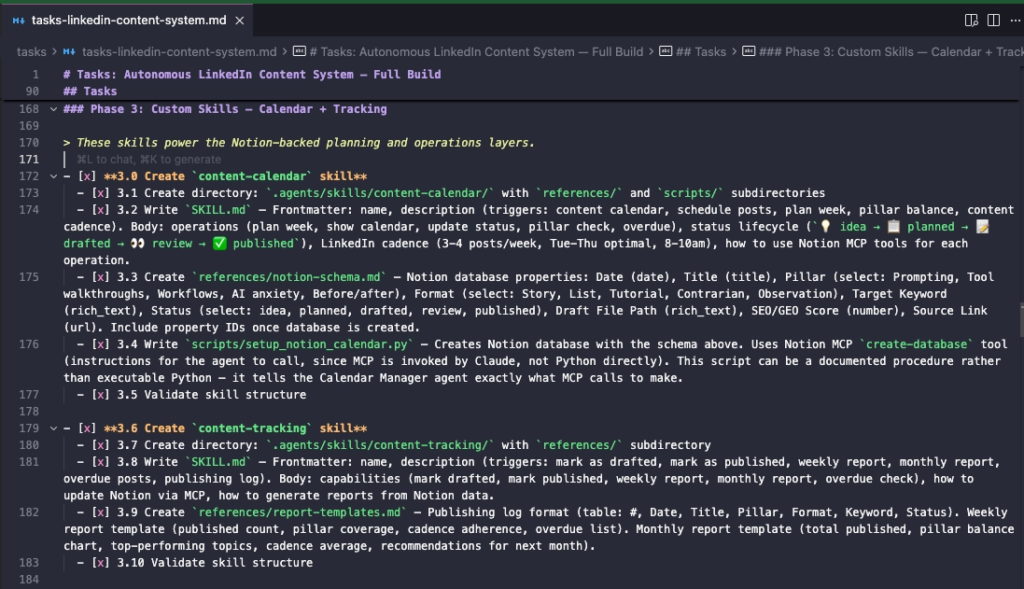
Under ‘tasks’ folder, Claude created a task MD file. When you open it, you can see that Claude is crossing out completely tasks one by one.
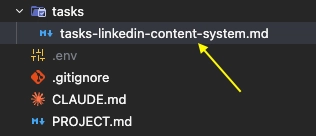
Continue completing each phase one by one.
Once all phases are complete, ask Claude to do a final codebase review. Check everything is connected, nothing is missing, and get clear instructions on how to run the pipeline.
Claude will return a clean table mapping commands to outcomes, so you know exactly what to type and what to expect.
That’s the full workflow. Knowing how to build Claude skills at this level (planning document, task management system, phased execution, clean context management) is what separates people who get consistent results from people who are constantly re-explaining themselves to Claude.
The system isn’t complicated. It’s just disciplined. And once it’s set up, Claude does the heavy lifting.
If you haven’t already, grab the generate-tasks.md and process-task-list.md files from snarktank’s repo and try it on your next project.
👉 How to create a PPT presentation with Claude
👉 Claude Code Tutorial for Beginners – Setup Guide