Physical Address
304 North Cardinal St.
Dorchester Center, MA 02124
Physical Address
304 North Cardinal St.
Dorchester Center, MA 02124
Beginner guide to AI agentic workflows
If you want to stop babysitting your browser and actually save time, you need to understand AI agentic workflows. This guide walks you through the shift from passive prompts to autonomous workers, ending with a live system you can deploy today to generate leads while you sleep.
What are AI agentic workflows?
AI agentic workflows are autonomous systems where a large language model makes independent decisions to achieve a specific goal. Instead of following a rigid, human-programmed path, the agent uses a framework of workflows and tools to reason through problems, execute actions, and correct its own errors without human intervention.
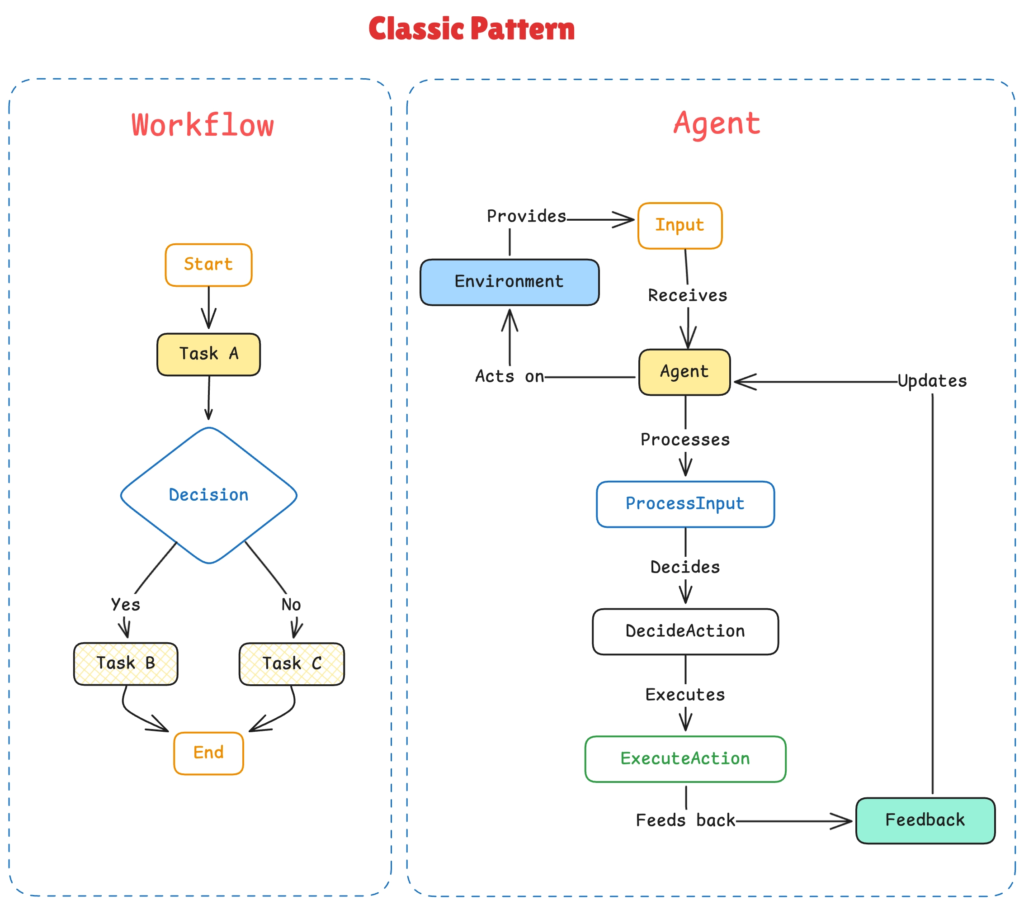
There are 3 basic levels of AI adoption. I see most people stuck on the first two.
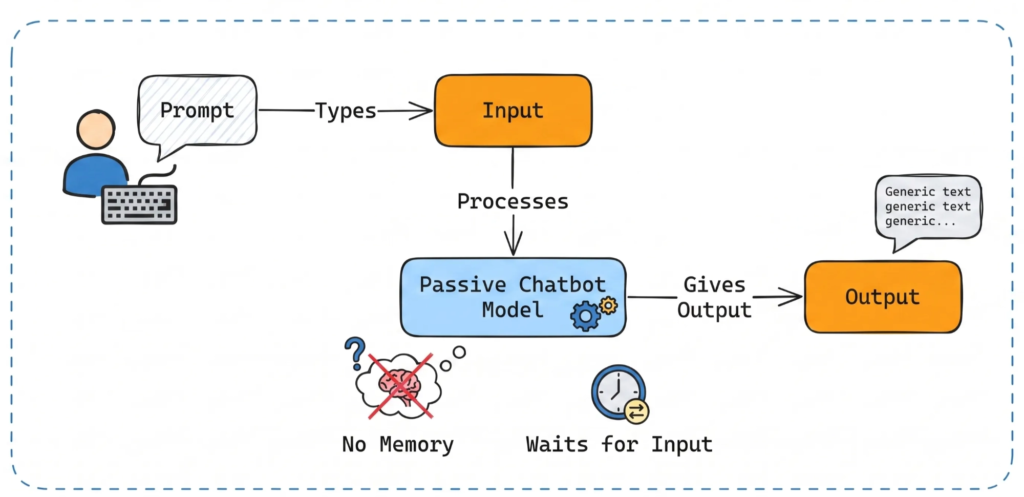
1️⃣ Level one is the passive chatbot. You type a prompt, and the model gives you an output. It has no memory of your business context, and it waits for you to tell it exactly what to do.
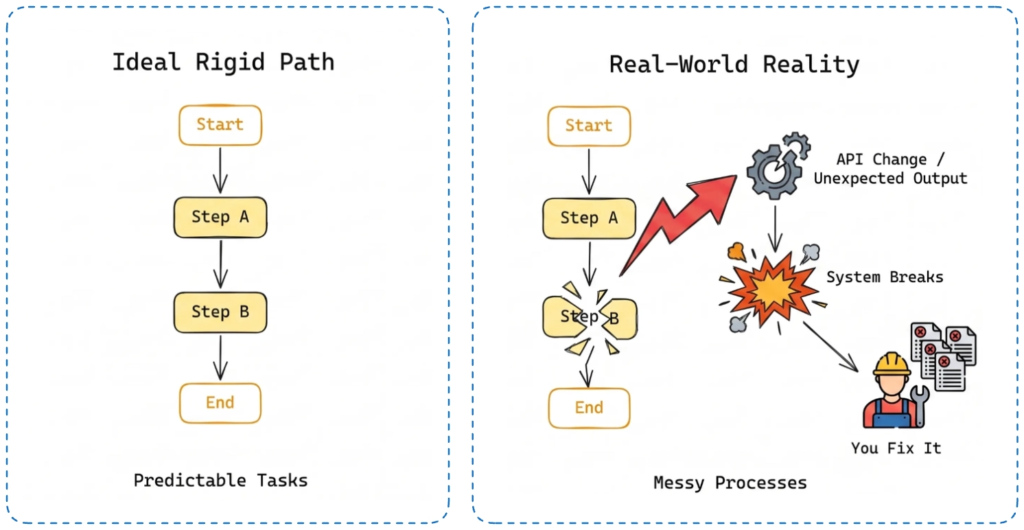
2️⃣ Level two is the traditional automation. Think of standard Make or n8n setups. You define a strict, rigid path where step A triggers step B.
This works well for predictable tasks, but business processes are messy. The moment an API changes or an output is unexpected, the whole system breaks, and you are the one digging into error logs to fix it.
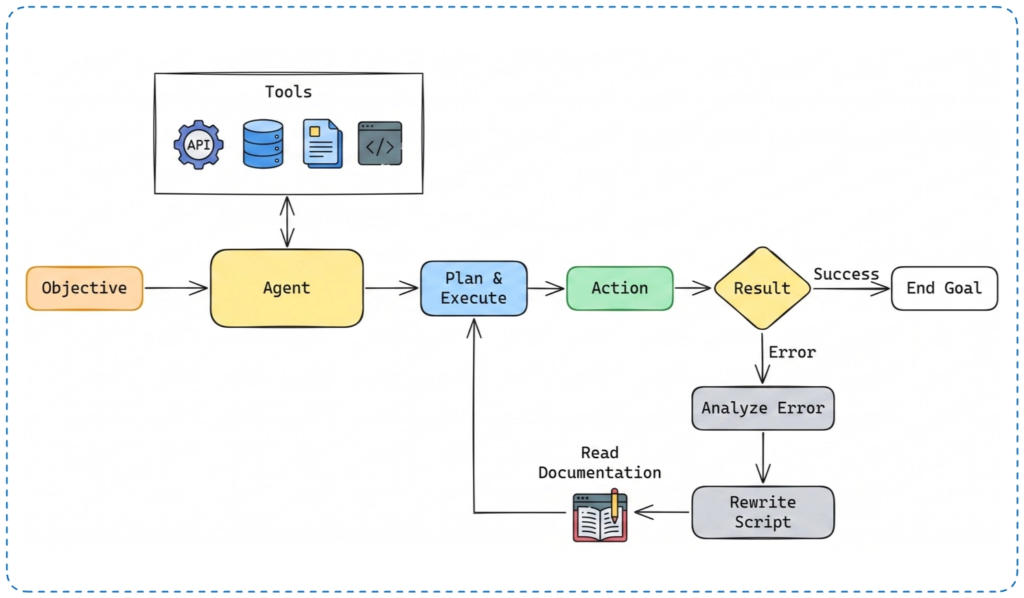
3️⃣ Level three is the agentic approach. In an agentic system, the AI is the decision-maker. You give it an objective, and the agent looks at the tools it has available, decides the sequence of actions, and executes them.
If it hits a rate limit or a formatting error, it reads the documentation, rewrites its own script, and tries again.
This ability to handle non-deterministic problems is why AI agentic workflows are replacing traditional automations entirely.
Sometimes the biggest language model just gets confused trying to do everything in one prompt, so breaking it down into an agentic sequence of smaller, specialized steps solves the problem.
For example, we can build a system that actively monitors your industry and routes high-value information directly to you.
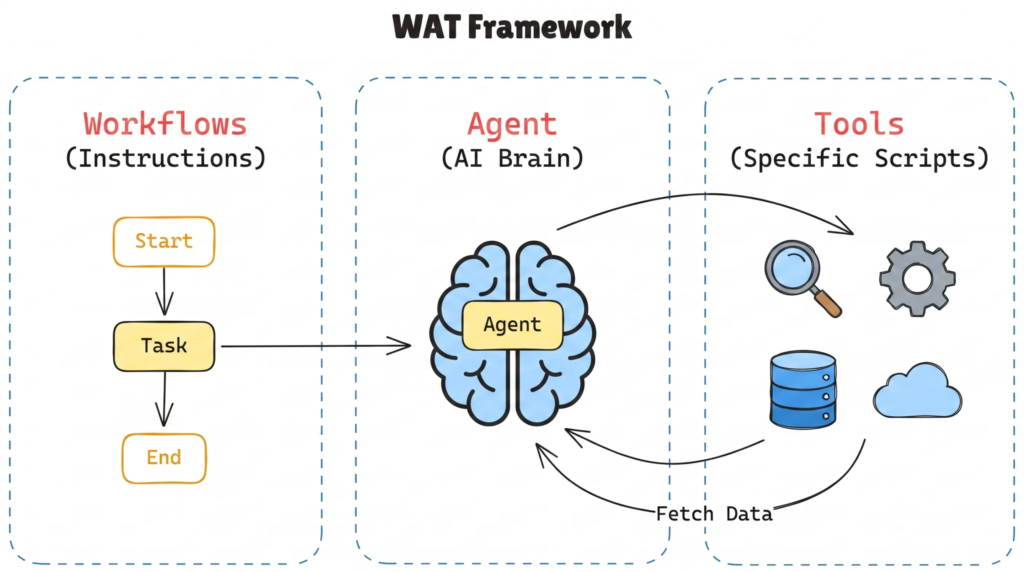
To do this, we use the WAT framework: Workflows (your plain-text instructions), the Agent (the AI brain coordinating everything), and Tools (the specific scripts the agent uses to fetch data).
The primary tool we are using for this is SocialCrawl. Social Crawl is a live social media data aggregator. I use it for almost all my inbound lead generation because it pulls real-time data from Instagram, Threads, LinkedIn, and Reddit. You install a single API key or Claude Code skill, and you completely bypass the nightmare of building custom web scrapers.
Here is how you set up Social Crawl to run autonomously on Claude Code:
claude.md file in your root folder. This file acts as the instructions for the agent. Tell the agent its job is to research competitors, analyze their pricing, and output a branded PDF report.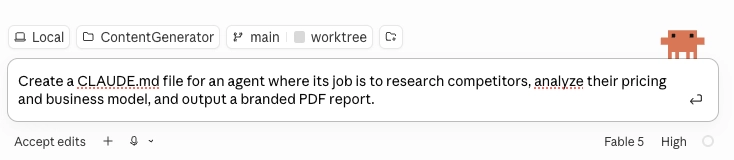

An agent shouldn’t wait for you to press enter. If you have to manually trigger the workflow every morning, you are still the bottleneck.
The biggest upgrade in AI agentic workflows is the ability to run these systems on managed cloud infrastructure. You can not setup scheduled tasks in Claude Cowork.
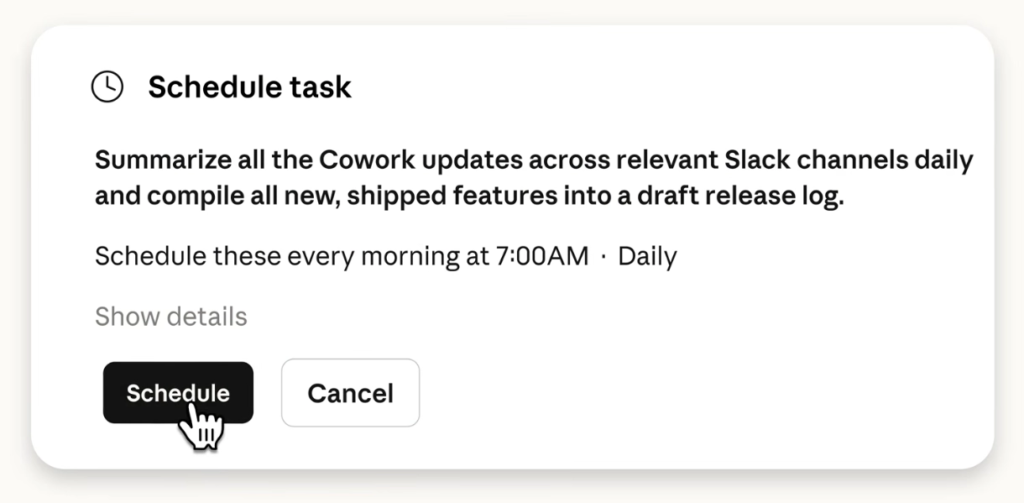
Instead of running the competitor analysis manually, you can type: “Every Monday at 8 AM, use Social Crawl to review our top three competitors’ social feeds, identify any new product launches, and ping me on Slack with a summary.”
The agent runs remotely. It does not rely on your laptop being open. It wakes up, does the research, and updates you. You can also set these routines to trigger based on specific events, like generating an automated email reply to your Slack channel.
👉 Claude Design Tutorial: Build A Social Media Dashboard
👉 How to Give Claude Code Social Media data
👉 Claude Code Tutorial for Beginners – Setup Guide
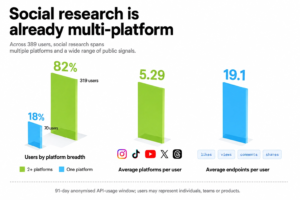
Most people still think about social media data in terms of posts, likes and follower counts. But a…
6 best Claude design skills for landing pages Ask an AI coding agent for a SaaS landing page…
Choosing the best AI coding model can feel like comparing four pages of benchmarks written in four different…