Physical Address
304 North Cardinal St.
Dorchester Center, MA 02124
Physical Address
304 North Cardinal St.
Dorchester Center, MA 02124

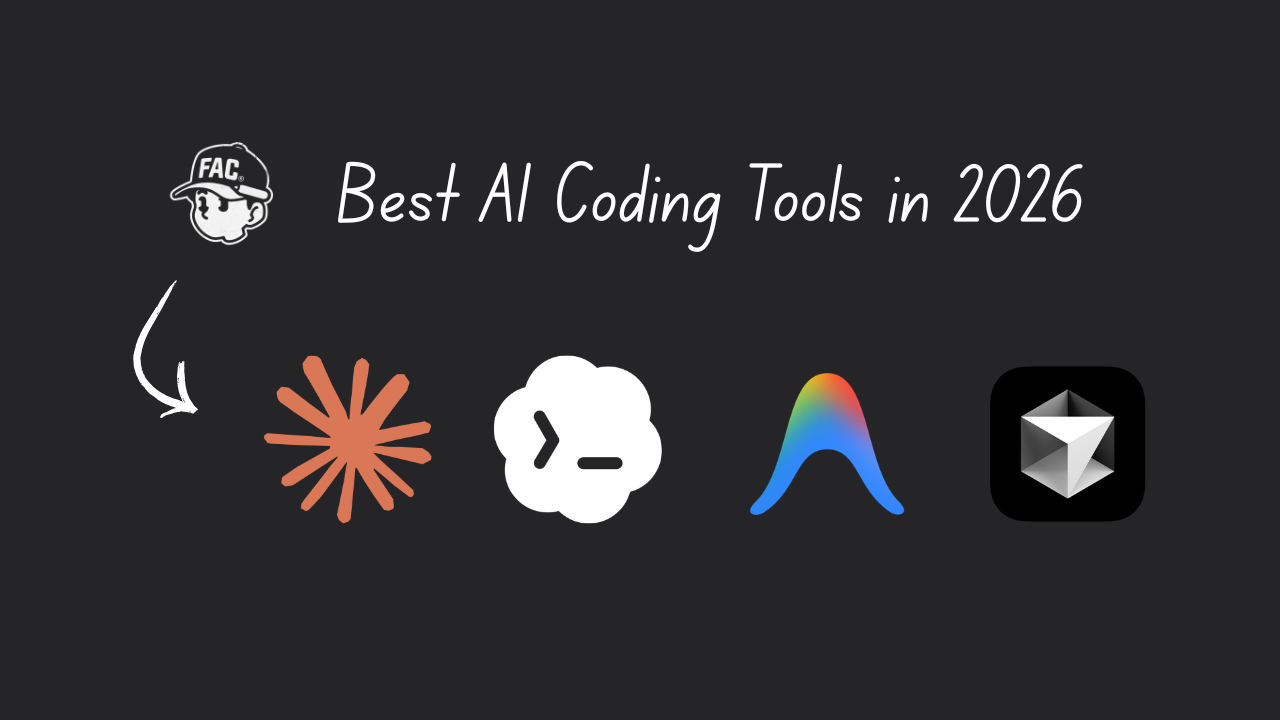
If you’ve been hearing words like “vibe coding” and “AI coding agents” and you’re not quite sure what any of it means, you’re in the right place.
There are now four main tools everyone’s talking about, and if you search “best AI coding tools” you’ll get a flood of opinions, technical jargon, and very little help for someone just starting out.
This article goes through what each tool actually is, what it’s good at, what to watch out for, and how to pick the one that makes sense for you.
[IMAGE PLACEHOLDER — Hero image] AI generation prompt: “A flat-lay illustration showing four distinct coding interfaces side by side, clean minimal style, soft coral and cream color palette, no text, beginner-friendly and approachable feel” Alt text: “best ai coding tools comparison — Claude Code vs Codex vs Antigravity vs Cursor illustrated overview”
Before we get into the tools, a quick note on what these things are. An AI coding tool is a program that uses AI to write, edit, and run code on your behalf. You describe a task, “build me a simple to-do app” or “fix this error”, and the AI figures out the code.
Some of these tools live in your terminal (think: a text window where you type commands). Others look like a regular code editor with a chat window. The differences between them come down to how they work, what models they use, how much they cost, and how much control they give you.
You don’t need to fully understand any of that before picking one. That’s what this guide is for.
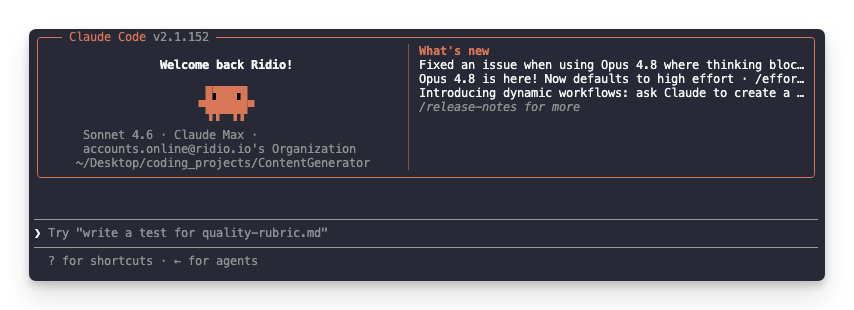
Claude Code is made by Anthropic (the company that makes Claude). It lives in your terminal and works by reading your entire project, making a plan, showing it to you, and waiting for your approval before doing anything. Every significant change asks for a thumbs up before it runs.
That approval-first approach is what makes Claude Code feel different from the others. It’s slower, but a lot of people find it builds trust quickly – you can see exactly what it’s doing and why.
| Details | |
|---|---|
| Made by | Anthropic |
| Where it runs | Terminal and desktop app |
| AI models used | Claude Sonnet 4.6 (default), Claude Opus 4.6 (for complex tasks) |
| Free tier | No |
| Starting price | $20/month (Pro plan) |
| Context window | 1 million tokens (can reason about very large codebases) |
What it’s good at:
It reads large codebases well. If you’re working on an existing project with lots of files, Claude Code can hold the whole thing in its head and still reason carefully about what to change. It’s also strong on complex, multi-file tasks where you want a deliberate, step-by-step approach.
What to watch out for:
The $20/month entry plan can run out of usage faster than you’d expect. Some users report hitting their weekly limit within a few days of heavy use. The Max plan runs $100-200/month depending on your tier, which adds up quickly.
There’s also no free trial. You pay before you know if it suits you.
Who it’s for:
You’re working on a real project and you want an AI that asks permission before touching things. You prefer seeing a plan upfront. You’re happy paying for consistent, reliable performance and you’re not in a rush.
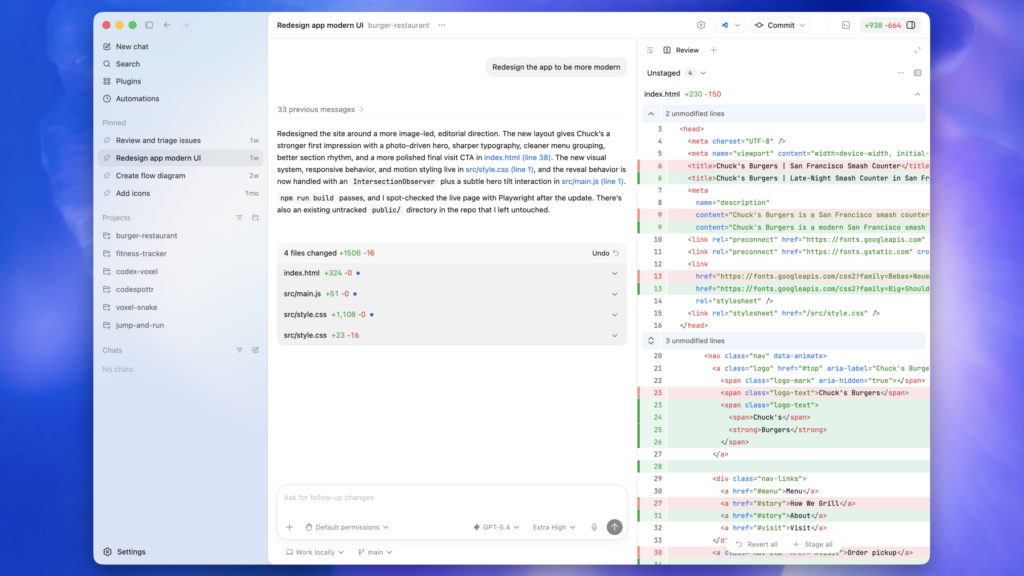
Codex is OpenAI’s coding agent, and it’s packaged inside ChatGPT. If you already pay for ChatGPT Plus or Pro, you likely already have access. That’s its biggest advantage -> it spread fast because it didn’t need a separate subscription for most people.
Codex follows your instructions closely. Users often describe it as more obedient than Claude, it tends to do exactly what you ask, without adding things you didn’t request.
| Details | |
|---|---|
| Made by | OpenAI |
| Where it runs | Web + desktop app |
| AI models used | GPT-4.1, GPT-4.5, o3/o4-mini for reasoning |
| Free tier | Temporary access via ChatGPT (varies) |
| Starting price | Included in ChatGPT Plus ($20/month) |
| Context window | 400K tokens (1M on $200 Pro plan) |
What it’s good at:
Codex is strong at precise execution. When you know exactly what you want and you describe it clearly, it tends to deliver it without straying. Its GitHub integration is solid, you can manage pull requests (basically saved code changes) directly in the interface. Many developers use Codex for iteration: moving fast on features once a plan is already in place.
Use Codex “if you have a precise idea and want it executed as close as possible to your specifications.”
What to watch out for:
The default plan has a 400K token context window, which is smaller than Claude Code and Antigravity. For big, complex projects this can be a limitation. Getting up to 1M context requires the $200/month Pro plan.
Also worth knowing: Codex sometimes over-engineers solutions. If you give it a vague prompt, it may build something more complicated than you needed.
Who it’s for:
You’re already paying for ChatGPT and want to try AI coding without a new subscription. You have fairly specific ideas about what you want built. You want fast iteration and solid GitHub integration.
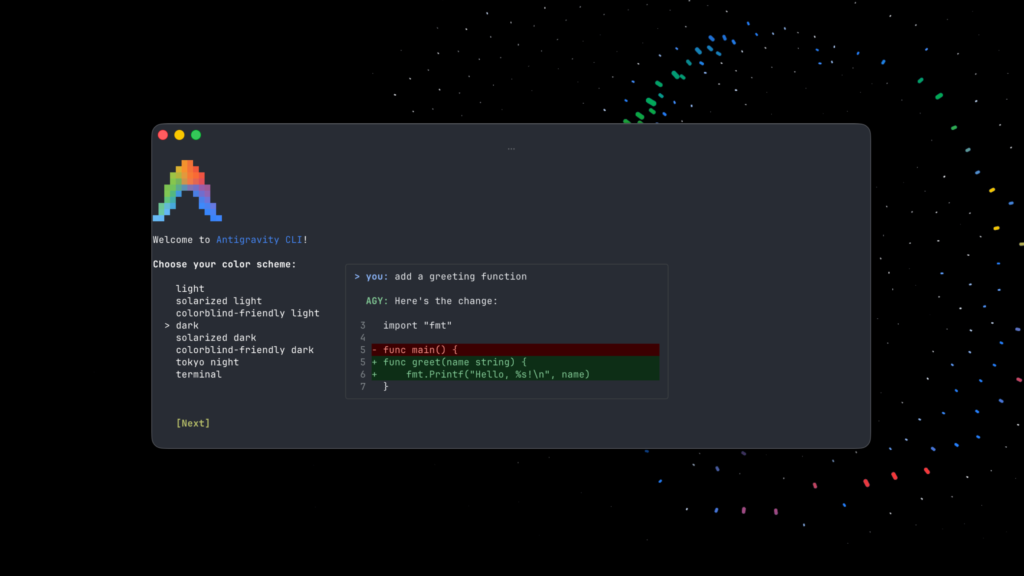
Antigravity is Google’s AI coding tool, and it works very differently from the others. Where Claude Code runs one task at a time with your approval at each step, Antigravity can run multiple AI agents in parallel – one fixing a bug while another builds a new feature, at the same time.
It looks like VS Code (a popular free code editor) with a special “Manager View” where you can see all your agents working. That parallel approach is genuinely different from anything else on this list.
| Details | |
|---|---|
| Made by | |
| Where it runs | Desktop app (Antigravity IDE) |
| AI models used | Gemini 3.1 Pro/Flash; can also use Claude/GPT models |
| Free tier | Weekly quota (preview access) |
| Starting price | ~$20/month (pricing still stabilising) |
| Context window | 1 million tokens (Gemini) |
What it’s good at:
If you want to try AI coding for free, Antigravity is the place to start. The free weekly quota lets you actually test it before committing money. The parallel agent model is also genuinely interesting for bigger projects, tasks that would take hours sequentially can potentially run faster.
It also lets you mix models: you can use Gemini for one task, Claude for another, all within the same project.
What to watch out for:
Antigravity has had a rough few months with reliability. Users consistently report rate limits appearing suddenly, quotas being cut without notice, and occasional crashes. One Reddit user summed it up: “Antigravity is an enormous bait-and-switch disappointment. I used it loads in December, got hooked, and then watched as Google gradually nerfed it into the ground.”
Pricing is also genuinely confusing. There’s a gap between the free preview tier and the paid options, and the credit costs for AI usage inside the app aren’t always clearly documented.
This tool is still maturing, and you can feel it.
Who it’s for:
You want to try AI coding without paying anything upfront. You’re curious about parallel agents and want to experiment. You’re okay with some instability in exchange for not spending money yet.
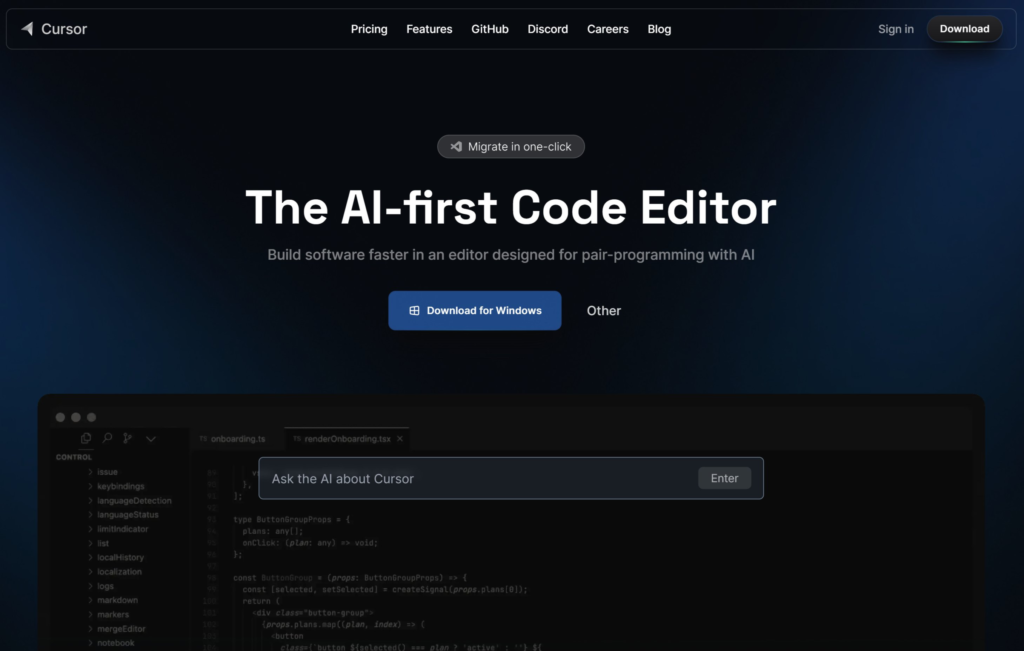
Cursor is made by Anysphere and it’s probably the most polished AI coding tool available right now. It’s built on top of VS Code, so it looks immediately familiar if you’ve ever used a code editor. The key difference is that it’s model-agnostic -> you can point it at Claude, GPT, Grok, or Gemini, and switch between them depending on what you’re working on.
Developers who use multiple AI tools often land on Cursor because it doesn’t force you to commit to one provider.
| Details | |
|---|---|
| Made by | Anysphere |
| Where it runs | Desktop IDE (VS Code fork) |
| AI models used | Claude, GPT, Gemini, Grok, Cursor’s own Composer 2.5 |
| Free tier | Limited (2,000 completions) |
| Starting price | $20/month (Pro plan) |
| Context window | 200K default; 1M in Max mode |
What it’s good at:
Cursor’s editing experience is the smoothest of the four. You stay in your files, see diffs (the changes the AI proposes) inline, and can approve or reject them without leaving the editor. It can run up to eight cloud agents in parallel, and it has an “Automations” feature that can run tasks in the background even when your laptop is closed.
The GitHub integration is excellent, pull requests, branch management, code reviews, all accessible from inside the app.
What to watch out for:
The default context window is 200K tokens, smaller than Claude Code and Antigravity at standard pricing. For large projects this matters. Cloud agent runs can also eat into your $20 monthly credit faster than expected.
Cursor went through a significant pricing change in mid-2025 that reduced the effective number of requests on the Pro plan by more than half. Worth checking current plan details before committing.
Who it’s for:
You want the best overall editing experience. You want to pick your own AI model rather than being locked into one company’s ecosystem. You’re comfortable in a code editor environment and want to do serious work with a polished tool.
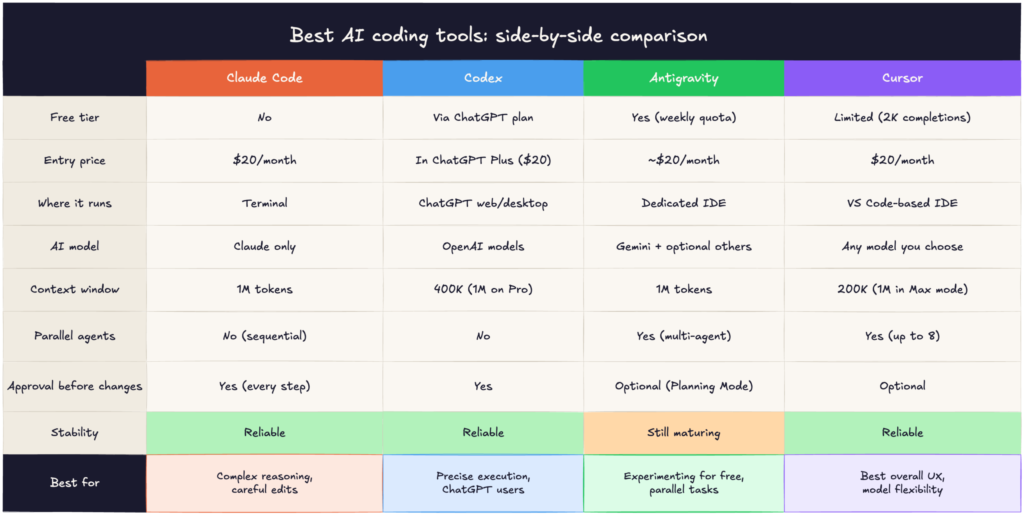
Here’s the honest version: there’s no single best AI coding tool. They’re genuinely different tools that suit different situations.
| If you… | Start with… |
|---|---|
| Want to try AI coding without paying anything | Antigravity (use the free weekly quota) |
| Already pay for ChatGPT | Codex (you probably already have access) |
| Want the most reliable, careful approach | Claude Code |
| Want the most polished experience and model flexibility | Cursor |
| Are working on a large, complex existing codebase | Claude Code |
| Want to run multiple tasks at once | Antigravity or Cursor |
| Are just starting out and feel overwhelmed | Start with Codex or Antigravity. Both have gentler onramps. |
If you’re brand new to this, here’s what I’d actually suggest: try Antigravity first just to see what AI coding feels like – it won’t cost you anything. Once you have a sense of whether this is something you want to use regularly, then decide whether to pay for Claude Code or Cursor based on what mattered most to you when you tried it.
The tools are more similar than they appear in reviews. By mid-2026, all four have converged on roughly the same blueprint: you describe a task, the AI makes a plan, shows it to you, and waits before running. The real differences are in the details – how much it costs, how much control you want, and which environment you feel comfortable in.
Pick one and spend a week with it. That’ll tell you more than any comparison article.
👉 Claude Design Tutorial: Build A Social Media Dashboard
👉 How to Give Claude Code Social Media data
👉 Claude Code Tutorial for Beginners – Setup Guide
Most people still think about social media data in terms of posts, likes and follower counts. But a…
6 best Claude design skills for landing pages Ask an AI coding agent for a SaaS landing page…
Grok 4.5 might be the first frontier coding model that feels fast enough for everyday work without feeling…