Physical Address
304 North Cardinal St.
Dorchester Center, MA 02124
Physical Address
304 North Cardinal St.
Dorchester Center, MA 02124


If you’re on Claude and you keep hitting the Claude usage limit before the day is done, you’re not doing something wrong. And you almost certainly don’t need to upgrade to a more expensive plan. You just need a few small habit changes. Here’s what’s actually going on, and exactly how to fix it.
Before the fixes, this one thing is worth understanding, because once it clicks, the rest makes sense.
Claude doesn’t have a running memory of your conversation. Every time you send a message, Claude re-reads the entire chat from the very beginning, then generates its reply.
So your first message in a new chat costs almost nothing to process. But by message 20, Claude is re-reading 19 messages every single time you hit send.
Think of it like a taxi meter that gets more expensive the longer you’ve been in the cab, even if you’re only going one more block. That’s why long chats drain your Claude usage limit so much faster than short ones.
Once you understand this, the fixes become obvious.
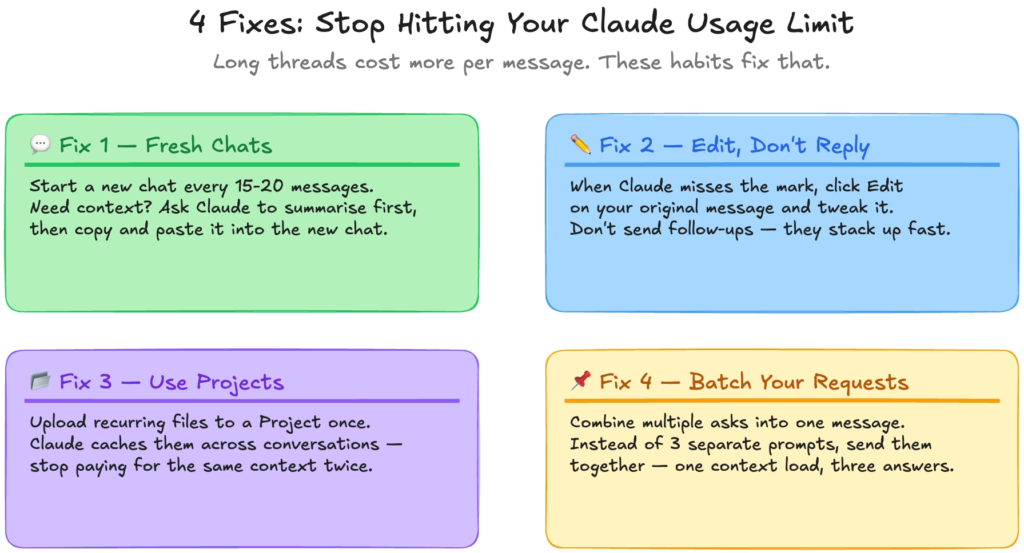
This is the biggest change you can make right now, and it costs you nothing.
When you finish one task and move on to something new, open a new chat instead of continuing the same thread. Every message in a long conversation carries the weight of everything before it. If that context isn’t relevant to what you’re doing next, you’re paying for it anyway.
If you do need to carry something over from a long chat, here’s the move: ask Claude to summarise the conversation, copy that summary, open a new chat, and paste it in as your first message. You keep what matters and leave the rest behind.
This one catches almost everyone out.
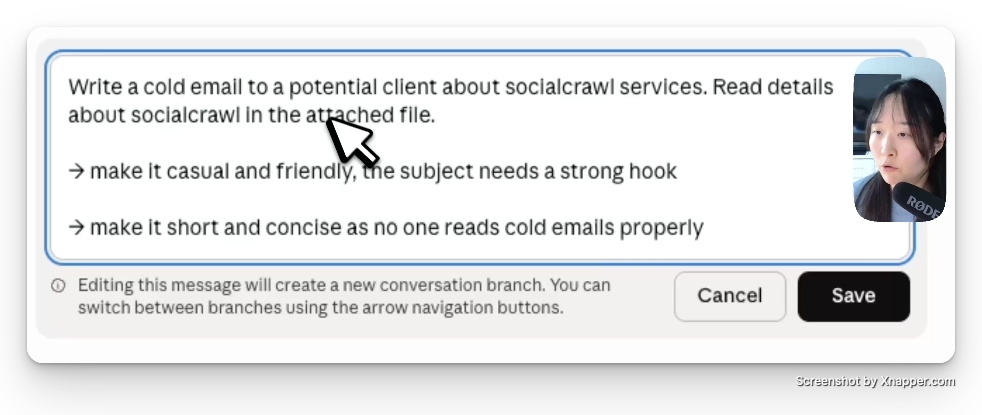
Claude gives you something that’s close but not quite right. So you follow up: “make it shorter,” then “change the tone,” then “actually I meant something different.” That’s three extra messages stacked on top of each other, and Claude re-reads all of them every time.
Instead, find your original message and click the Edit button on it. Change what you actually wanted to ask, then regenerate. Claude responds to the updated prompt without carrying all those extra back-and-forth messages along for the ride.
Same output, a fraction of the Claude usage limit spent.
If you’re on Claude Pro, you have access to Projects. Most people have never opened it.
In a regular chat, every time you paste in a document, a brand guide, or a brief, Claude processes it fresh. Do that ten times across ten conversations and you’re paying for the same context over and over.
In a Project, you upload your files and instructions once. Claude loads them as a baseline for every conversation inside that project, without eating into your Claude usage limit each time. You also get more consistent output because the context doesn’t change.
If you write in a specific style, work on the same product repeatedly, or summarise a similar type of document regularly, set up a Project for it. Do it once, and stop re-paying for the same setup.
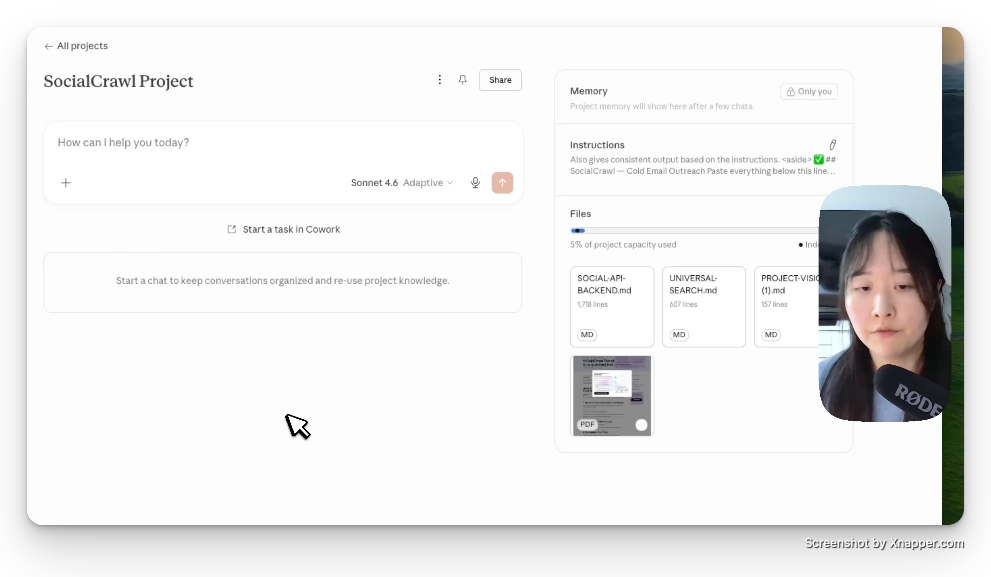
This is the simplest fix and almost nobody does it.
Instead of sending three separate messages one after the other, combine them into one. Ask Claude to do all three things at once, in a single prompt.
One context load. Multiple outputs. Claude sees the full picture from the start, and you use far less of your Claude usage limit to get the same work done. It also keeps the conversation shorter, which means every message stays cheap to process.
One more thing worth knowing.
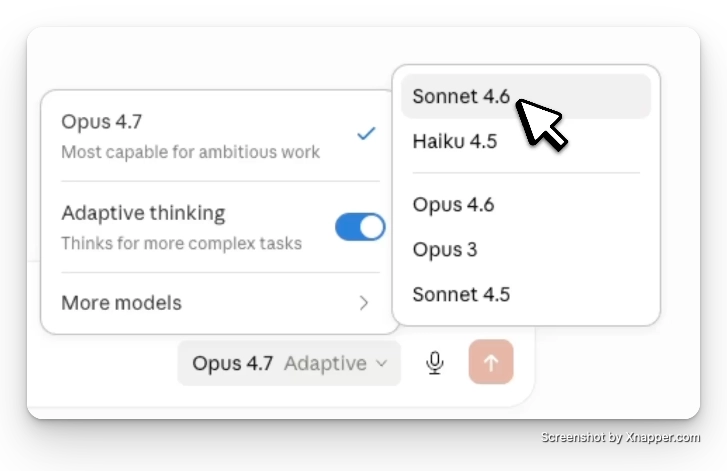
If you’re using Claude Opus for emails, summaries, drafts, and brainstorming, you’re spending roughly twice as much of your Claude usage limit per message compared to Claude Sonnet. Opus is the most capable model, but most daily tasks don’t need it. Sonnet handles the vast majority of work just as well. Save Opus for the genuinely complex stuff.
The Claude usage limit isn’t a wall built to push you toward a more expensive plan. It’s a resource that runs out faster when you’re not working with it efficiently.
Start new chats when you switch tasks. Edit instead of following up. Set up a Project for work you repeat. Batch your requests. And match the model to the task.
Do those four things and you’ll get noticeably more out of your existing Claude Pro subscription, starting today.
👉 Claude Design Tutorial: Build A Social Media Dashboard
👉 How to Give Claude Code Social Media data
👉 Claude Code Tutorial for Beginners – Setup Guide
I came across WorldPulse 3D and wanted to build my own 3D world news map with Fable 5.…
The best Claude Code skills for founders I have tried 40 different plugins for my startup over the…
If you've ever tried to scrape TikTok data, you've probably hit the same wall. You search for a…